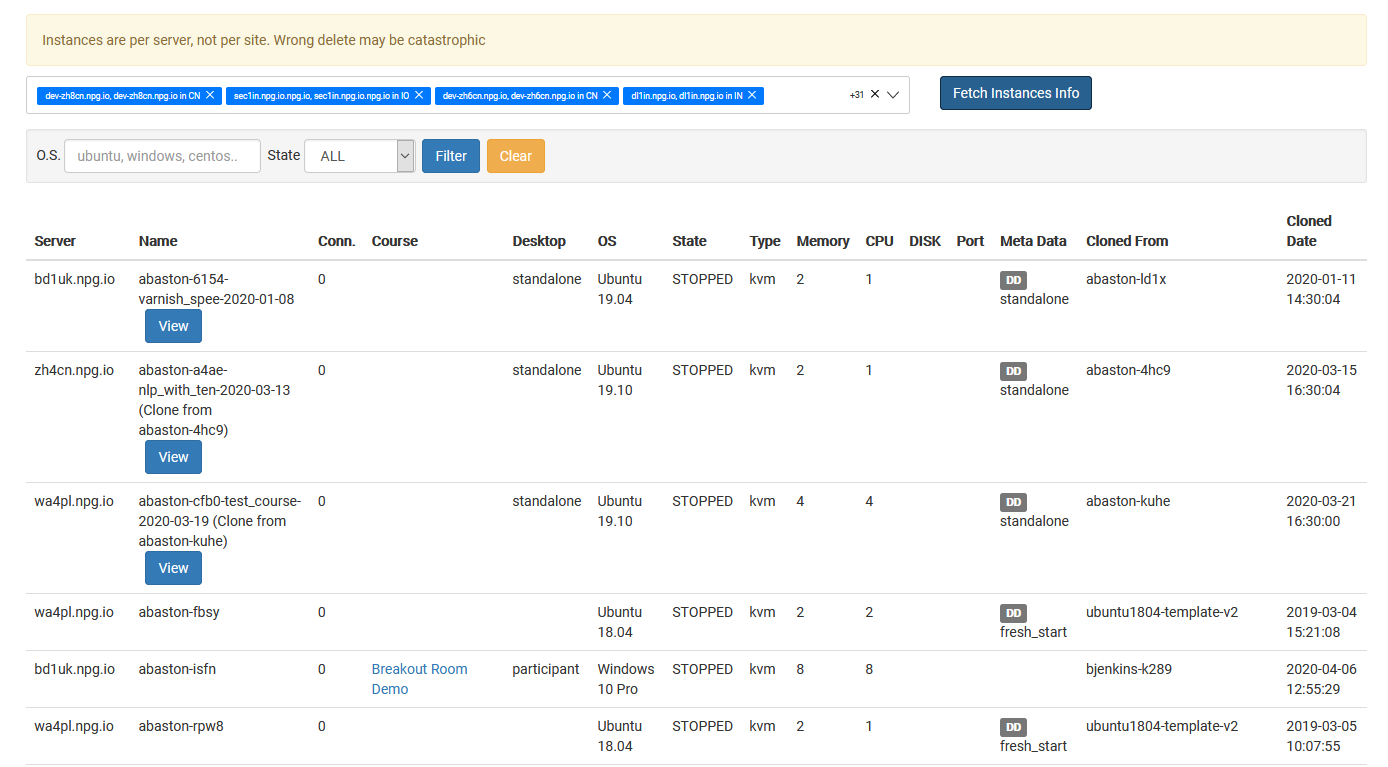
Overseeing All Desktop Instances
Super Administrators can use the Managing All Desktop Instances page as a central hub to see and control all desktop instances running throughout the platform. This page offers a full view of desktops no matter which organization, course, or server they're tied to, helping you track system activity and handle admin work with less effort.
Available Actions
- Display every desktop instance on a single page.
- Use search and filtering to locate particular machines fast.
- Inspect current states and details of any desktop instance.
- Take management steps on chosen instances whenever necessary.
- Keep an eye on desktops spanning organizations, servers, and data centres from a single place.
Who Gets Access
This feature is reserved for Super Administrator roles. It's designed for admins who must oversee and manage desktop instances across the full DaDesktop platform, not just within one organization or course.