
Remote Replica
The Remote Replica feature enables you to duplicate your Fresh Start Desktop onto a separate server, typically located in a different place Germany. Once configured, it automatically and silently synchronises all changes in the background, requiring no further action.
This powerful capability can be applied in several scenarios; here are two common ones.
Please note: currently, Remote Replica works exclusively with Fresh Start desktops, though it may also be utilised within DaDesktop for Work (DD4W).
First: Create a Remote Replica of Your Desktop on a Server in a Different Data Centre
To safeguard your work, consider setting up a Remote Replica on a server in another data centre. Should your primary server become inaccessible, you can seamlessly continue working from the replica exactly where you left off.
Initially, your Fresh Start machine is hosted in the UK Data Centre, for example bd3uk.
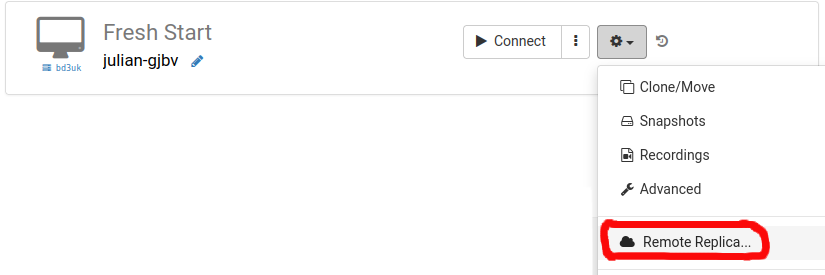
Select the data centre for your replica – usually one distinct from your current machine. You could even choose a facility in another country.
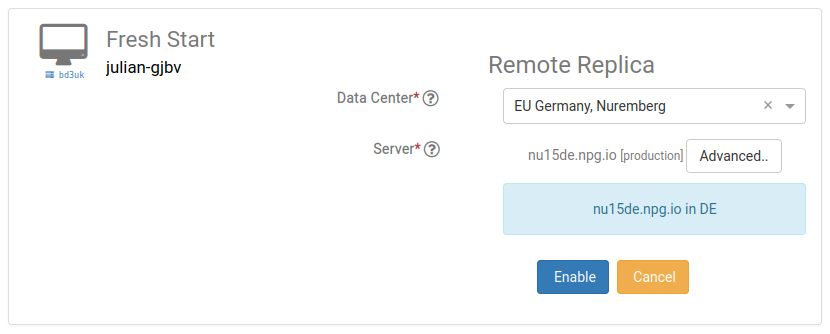
Your Remote Replica is now being provisioned. The duration depends on the geographical distance and the desktop’s size. During this period, you may keep using the original machine.
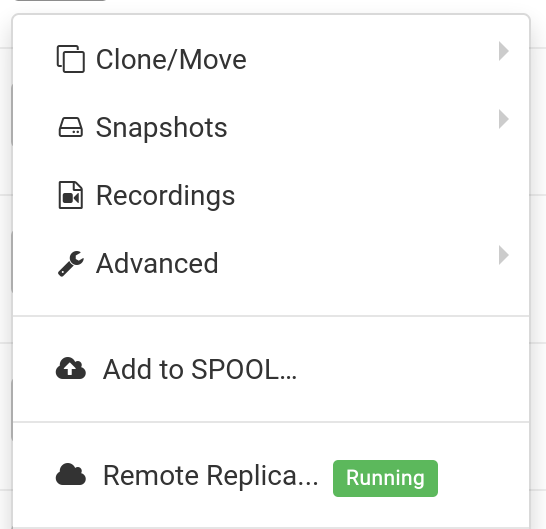
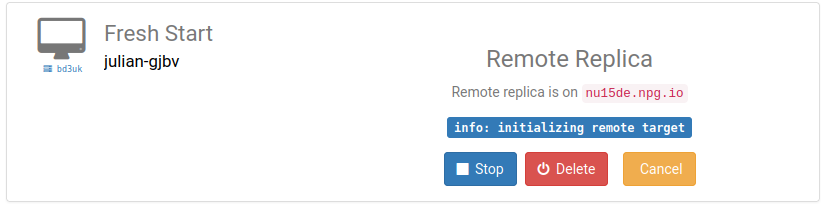
Restoring a Remote Replica
If you ever lose access to your FreshStart desktop, you can restore the Remote Replica that was previously configured.
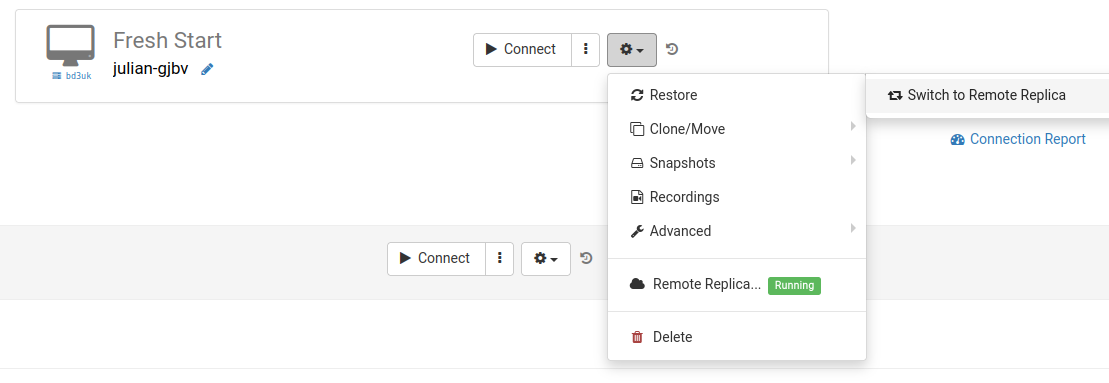
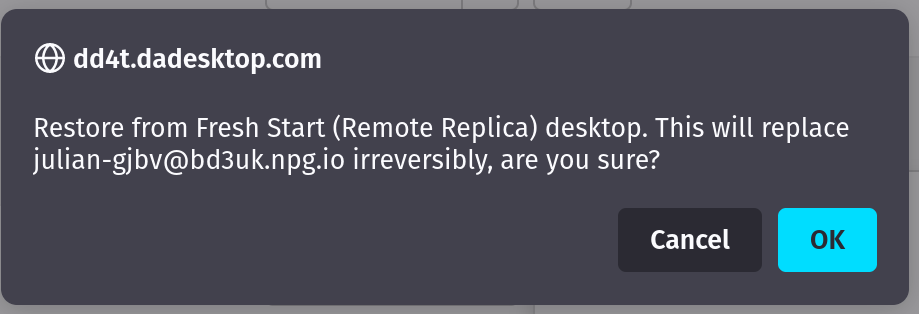
Once you have activated the Remote Replica, you cannot return to the original desktop. That’s fine, because the replica is an identical copy.
However, be aware that after you switch, the replication process stops. To create another replica, you must reconfigure it by following the initial steps once more.


Second Scenario: Utilise a Replica for FreshStart in a Different Region to Minimise Latency
Remote Replica proves particularly valuable when you need a copy of your Fresh Start desktop nearer to your physical location while preparing course materials. For instance, a trainer residing in Germany may be delivering training in South Africa – a situation DaDesktop handles effortlessly.
Here, hosting the desktop on a South African server would introduce high latency, so you deploy a Remote Replica in Europe instead. The replica stays in sync with your modifications.
Once your work is done, restore the replica to the trainer’s machine in South Africa, enabling rapid distribution to both trainer and participants.