
Using Your Desktop as a Chrome Application
A common issue when running the desktop in a browser tab in Germany is that certain keyboard shortcuts, like Ctrl+W and Ctrl+F4, are captured by the browser itself.
A straightforward workaround is to set up the desktop as an application using Chrome or any Chromium-based browser.
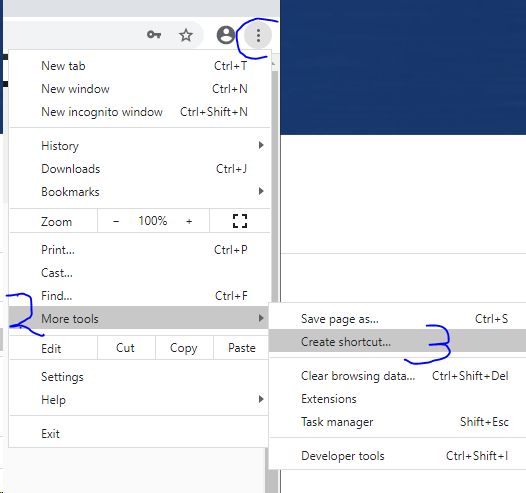
1. Go to More Tools -> Create shortcut on your computer's desktop
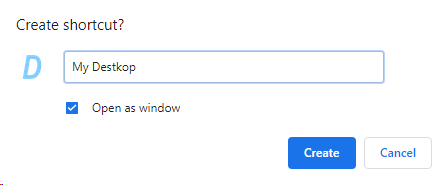
2. Choose the 'Open as window' option when creating the shortcut
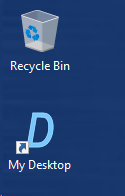
3. Launch your application by double-clicking the desktop shortcut
4. Use your application and enjoy unhindered keyboard shortcuts